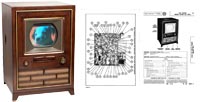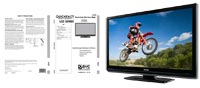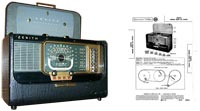

SAMS Technical Publishing
Since 1946 SAMS Technical Publishing manuals have been the standard that repair technicians have insisted upon having to provide professional repairs to their customers.
Our original Quickfact manuals and Photofact® manuals have been designed to provide reliable, consistent repair data for electronics repair technicians, antique electronics restorers, and hobbyist. SAMS Technical Publishing has been the gold standard in the repair industry for TVs, VCRs, Radios, etc. Why would you settle for anything less than the original? For those models and/or chassis not covered by SAMS Photofact® manuals or Quickfact manuals, we have available OEM owners manuals and service manuals that can be ordered in both hard copy and electronic formats. Get started now by utilizing our newly enhanced search tool to locate your model and/or chassis.
SAMS Technical Publishing is located in Indianapolis, Indiana where we began our journey to becoming the world's largest provider of consumer electronics manuals. Founder Howard W. Sams saw an immediate need in the market for service technicians to have schematics and other service guidelines for products they were repairing, establishing an industry repair standard, which repair shops across the country have depended on for decades.
SAMS Technical Publishing continues that tradition today with the publication of new manuals every month, covering the latest in Televisions, including HDTV, Plasma and LCD monitors. Photofact® is a flourishing brand that is more relevant now than it has ever been, helping the repair professional keep up with today's rapidly evolving and ever more complex technology. We believe that our new products as well as our extensive library of manuals are second to none and perfectly addresses the needs of professional repair shops, electronics enthusiasts, and do-it-yourselfers alike.
We thank you for visiting our website and trust that you will find what you are looking for! If we do not have repair data on the model you need, please use the request form and we will search our extensive list of suppliers and vendors to find you the information you are looking for.